
Emails that feel handwritten. Conversations that stay personal throughout the entire outreach journey
Imagine a researcher and copywriter studying every prospect before writing each email by hand. PitchKraft brings that depth of relevance to every message, from the first outreach through follow-ups, replies, forwards, transactional emails and LinkedIn, with the original sources available to check.
Kraft Emails · European Women in Technology2027 EXAMPLE
Hi Aakanksha,
You described last year’s EWiT as a wonderful experienceContact notes · Earlier event feedbackSaved feedback from Aakanksha’s previous EWiT attendance.. It was a great reason to reach out again, especially with ToastHER Dublin’s work with HackHers and its career-development panelInternet research · ToastHER IrelandToast describes its HackHers collaboration and career-development panel.Read the source ↗.
Given your work as a Software Engineer II at Toast in DublinProfessional context · 2027 campaignThe contact’s role and employer in the original EWiT campaign.Read the source ↗, I thought the Mastering the Codebase – CursorKnowledge base · EWiT programThe program workshop covers navigation and understanding of codebases with AI development tools.Read the source ↗ workshop might be particularly relevant.
Would you like me to share the program and visitor pass details?
Keep every conversation personal.
Deep research. Individual relevance. One connected outreach workspace.
PitchKraft researches each prospect and combines what it learns with your offer, company knowledge and contact history to write hyper-personalized hyper-relevant emails. Keep that understanding working across follow-ups, replies and LinkedIn, with CRM, contact validation and email testing in the same platform.
Personalization isn't a clever opening line. It's the whole email.
One prospect, one event invitation. The difference is whether the research stays in the first sentence or shapes the reason to write, the recommendation and the ask.
Hi Aakanksha,
I noticed you're a software engineer at Toast.
We're excited to invite you to European Women in Technology. There will be inspiring speakers, workshops and networking opportunities.
Would you like to attend?
Hi Aakanksha,
You described last year's EWiT as a wonderful experience. It was a reason to reach out again, especially with ToastHER Dublin's work with HackHers and its career-development panel.
Given your work as a Software Engineer II at Toast in Dublin, I thought the Mastering the Codebase – Cursor workshop might be particularly relevant.
Would you like the program and visitor pass details?
Same prospect. Same invitation. A different reason to engage. Every detail has a purpose, and that context can carry through the next conversation.
The sixth message should remember everything the first one learned.
A handwritten-quality email is only the beginning. As a conversation progresses, the next message should understand the research, earlier messages and the recipient's situation. Different touchpoints, one continuous understanding.
-
01First outreachStart with a reason this person would care.Email
Adapted from the 2027 campaign invitation“Your earlier EWiT feedback, together with ToastHER's career-development work in Dublin, made me think of our practical Cursor workshop. Given your engineering role at Toast, would you like to see the program?”
Context carried forward: Previous event feedback + ToastHER research + event program -
02Follow-upPick up the same relevant thread.Email
“The Cursor workshop I mentioned focuses on understanding unfamiliar codebases using AI tools, rather than just a general discussion of AI. Would the session outline be useful for your work at Toast?”
Context carried forward: First invitation + software-engineering role + selected workshop -
03ReplyAnswer the actual question, not a generic template.Email
“The session is called Mastering the Codebase – Cursor. Its focus is on navigating and understanding codebases with AI-powered development tools. I can share the relevant program section directly.”
Context carried forward: Question about practical sessions + program knowledge base -
04ForwardLet another person catch up on the context.Email
“Sharing the EWiT workshop recommended in our Toast outreach, along with the ToastHER Dublin research and the session description. It is a practical code-navigation workshop rather than a general conference overview.”
Context carried forward: Original recipient context + relevant research + event content -
05Transactional emailCarry the context into practical details.Email
“Here are the requested program and visitor-pass details. I've highlighted the Cursor workshop at the top so the session we've been discussing is easy to find.”
Context carried forward: Requested information + event materials + previous correspondence -
06LinkedIn messageThe channel changes, the understanding remains.LinkedIn
“Hi Aakanksha, I shared the EWiT Cursor workshop by email. Its focus on understanding codebases seemed relevant to your work at Toast. Happy to send the session details here too.”
Context carried forward: Previous email + contact's professional role + workshop
Every personal detail should have a reason. And a source.
PitchKraft does more than research a prospect and write fluent copy. It reveals the information behind the personalized wording, with source details saved against the contact and original online links where available. Explore the highlights in this historical EWiT invitation.
Hi Aakanksha,
You described last year's EWiT as a wonderful experienceContact notes · Earlier event feedbackSaved feedback from her previous EWiT attendance was recorded against the contact. It is internal evidence, not a public web URL.. It was a great reason to reach out again, especially with ToastHER Dublin's work with HackHers and its career-development panelInternet research · ToastHER IrelandToast's own article documents its involvement in HackHers Dublin and a career-development panel.Open the original Toast article ↗.
Given your work as a Software Engineer II at Toast in DublinCareer context · Illustrative exampleProfessional context used in this illustrative 2027 invitation. This does not assert the person holds the same role today.See the original campaign example ↗, I thought the Mastering the Codebase – CursorEvent knowledge base · ProgrammeThe EWiT event programme described a workshop on code navigation and understanding codebases using AI tools.Explore the programme evidence ↗ workshop might be particularly relevant.
Would you like the program and visitor pass details?
Hover over personalized passages in Kraft Emails to see the source elements behind them.
Read the research and contact context stored alongside each email.
Visit original online URLs where provided, or inspect your saved internal records.
This historical EWiT invitation demonstrates four source types. Email history and additional custom CRM fields can inform other messages and subsequent touchpoints.
A relevant email still needs the right recipient.
Three independent questions about your B2B contacts. Choose the check that matters to your campaign, then inspect the evidence behind the result.
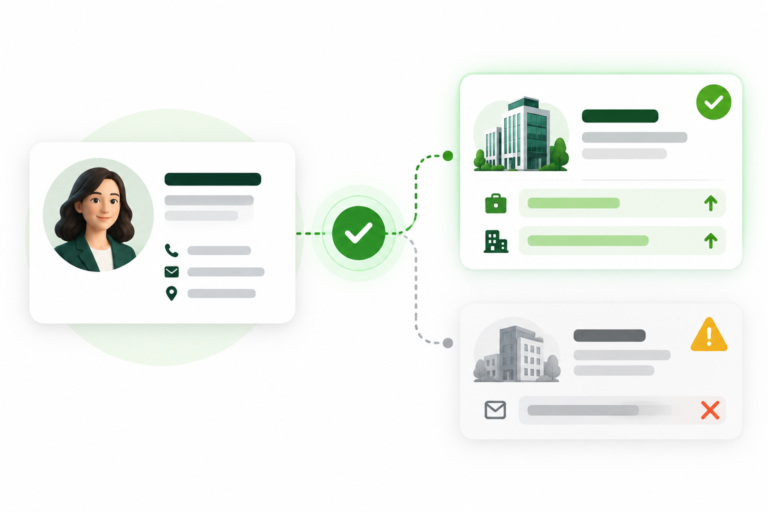
Employment Match
Does this person still work at the company in your list? Examine current evidence for their employer and role, rather than relying on a job title that could be out of date.
Do they still work there?
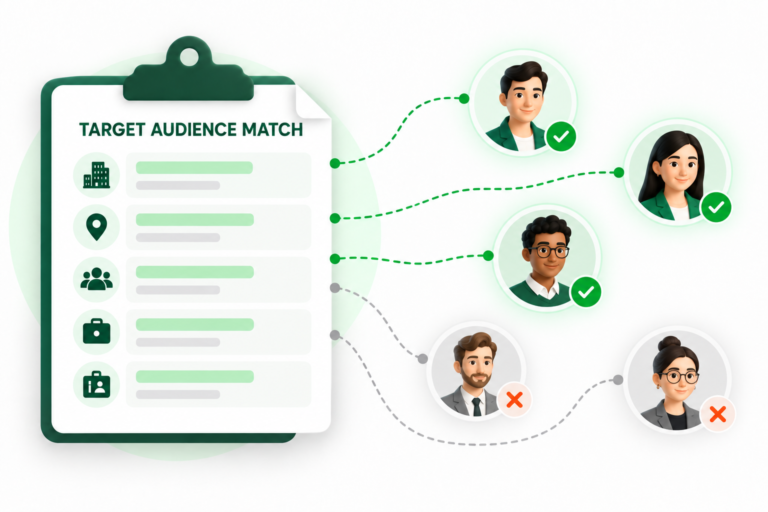
Target Audience Match
A valid contact isn't necessarily your buyer. Assess the company and person's role against your target audience brief, including the sector, location and responsibilities that matter.
Do they fit your brief?
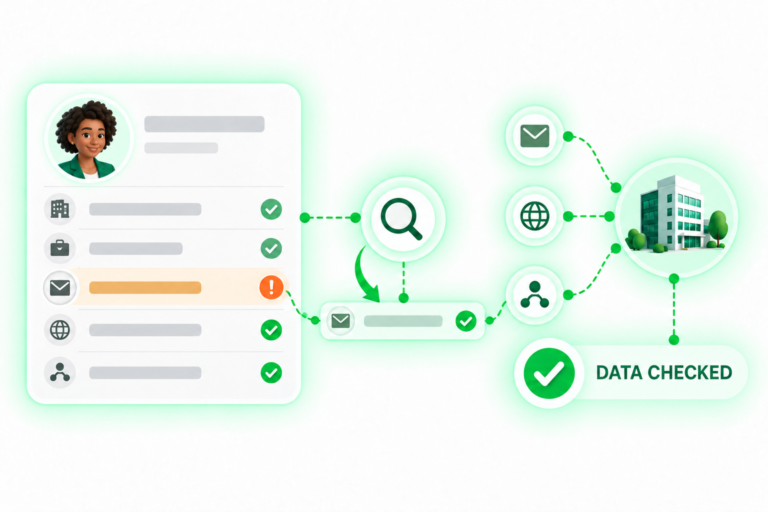
Data Integrity Check
Find missing, malformed or conflicting fields before they undermine an otherwise relevant campaign. Inspect the record's consistency and the explanation attached to the result.
Does the record hold together?
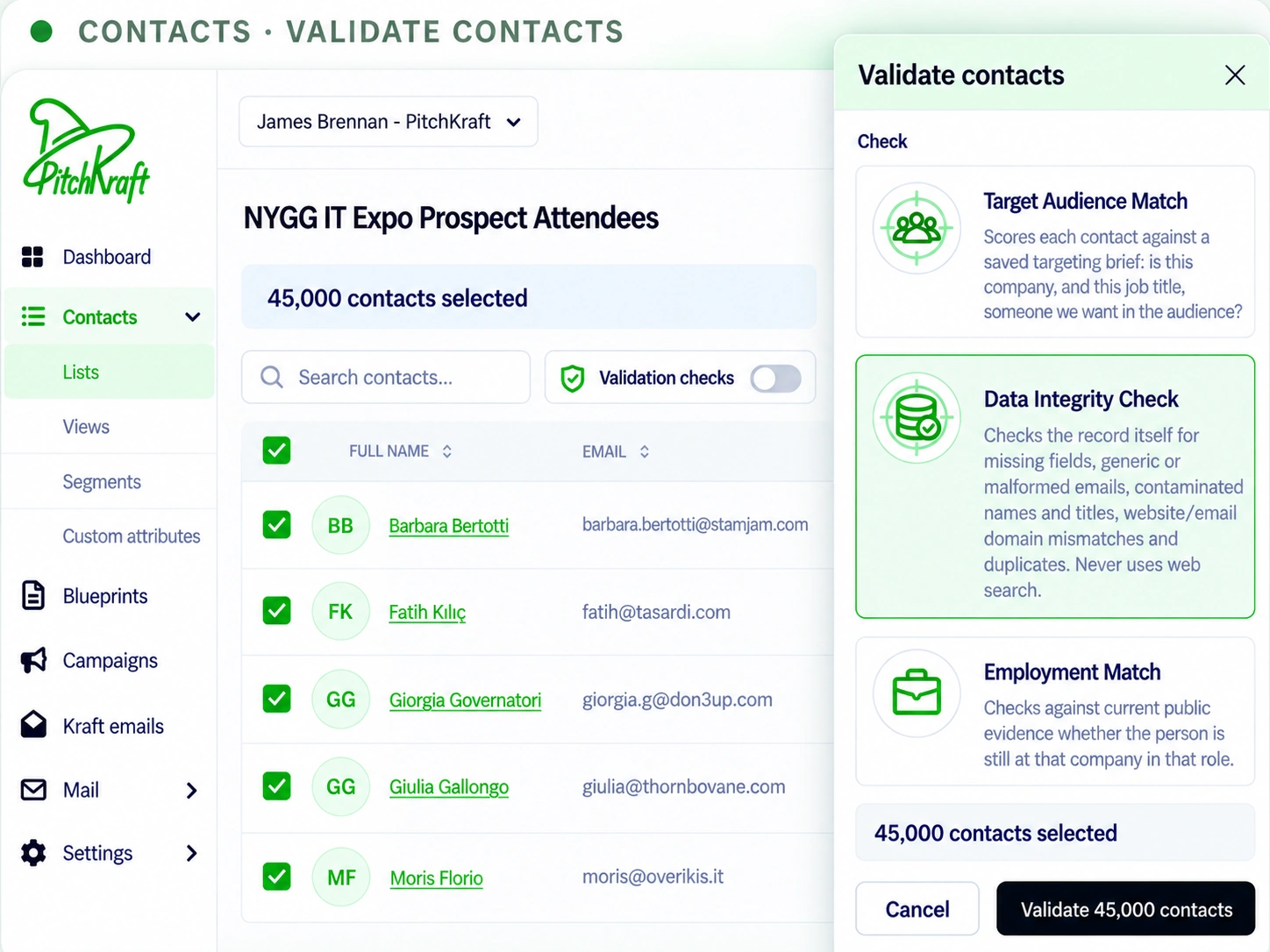
Select your own contacts, run the assessment you need, and review the explanation and supporting evidence. The illustrations above show the questions; PitchKraft shows the actual result against each contact.
Handwritten-feel copy deserves a proper send check.
Research makes an email relevant. Testing helps you decide what to improve before sending. PitchKraft brings writing quality, inbox-likelihood assessment, sender authentication and seed-mailbox observations into one pre-send workflow.
ASSESSMENT AREAS · NOT LIVE RESULTS
- 01CONTENT REVIEWSubject line and email body
Assess writing quality, clarity and relevance, with scoring and suggestions for stronger copy.
- 02PREDICTIVE ASSESSMENTInbox-likelihood signals
Estimate filtering risk from characteristics of the message. An assessment of risk, not a promise of inbox delivery.
- 03SENDER CONFIGURATIONEmail authentication checks
Review sending-domain signals and potential issues with authentication or alignment.
- 04CONTROLLED DELIVERY TESTSeed-inbox placement
Observe where test messages land in controlled mailboxes. Reported outcomes may include inbox, spam or other delivery results.
- Prepare the email
- Run the checks
- Review findings
- Improve and retest
Inbox-likelihood scores are estimates, and seed results describe controlled test placements. Neither guarantees delivery or inbox placement for every recipient.
Prepare your outreach.
Make it personal from the start.
Import your own contacts or generate contacts within PitchKraft. When you need extra confidence, use Data Integrity Check, Employment Match and Target Audience Match to review the records and their supporting evidence.
Create a Blueprint with your offer, audience, research instructions and writing preferences. PitchKraft brings that direction together with each contact’s context to write individually relevant emails.
Choose the checks you need
Offer · Audience · Research · Writing preferences
Automatic authentication checks
Follow activity across your contacts
Send with control.
Track replies, opens and clicks.
Add your sending email address and review automatic SPF, DKIM and DMARC checks. Schedule your emails or use human-randomized sending to vary the intervals between messages.
Monitor responses, opens, clicks and activity across your contacts. Use replies and the conversation itself to understand interest and decide what to do next.
Keep the relationship moving.
Keep what you’ve learned.
Shape your CRM with customizable forms, ask AI questions about each contact and inspect the research in Insights. See contact activity alongside the details that matter to your team.
Use the extension to sync with LinkedIn and write relevant messages. Follow-ups, replies and transactional emails you send and receive build on the same conversation history, so each interaction adds context for the next.
- Email conversationsOutreach · Replies · Follow-ups
- LinkedIn contextSync · Relevant messages
- Transactional emailsSent and received
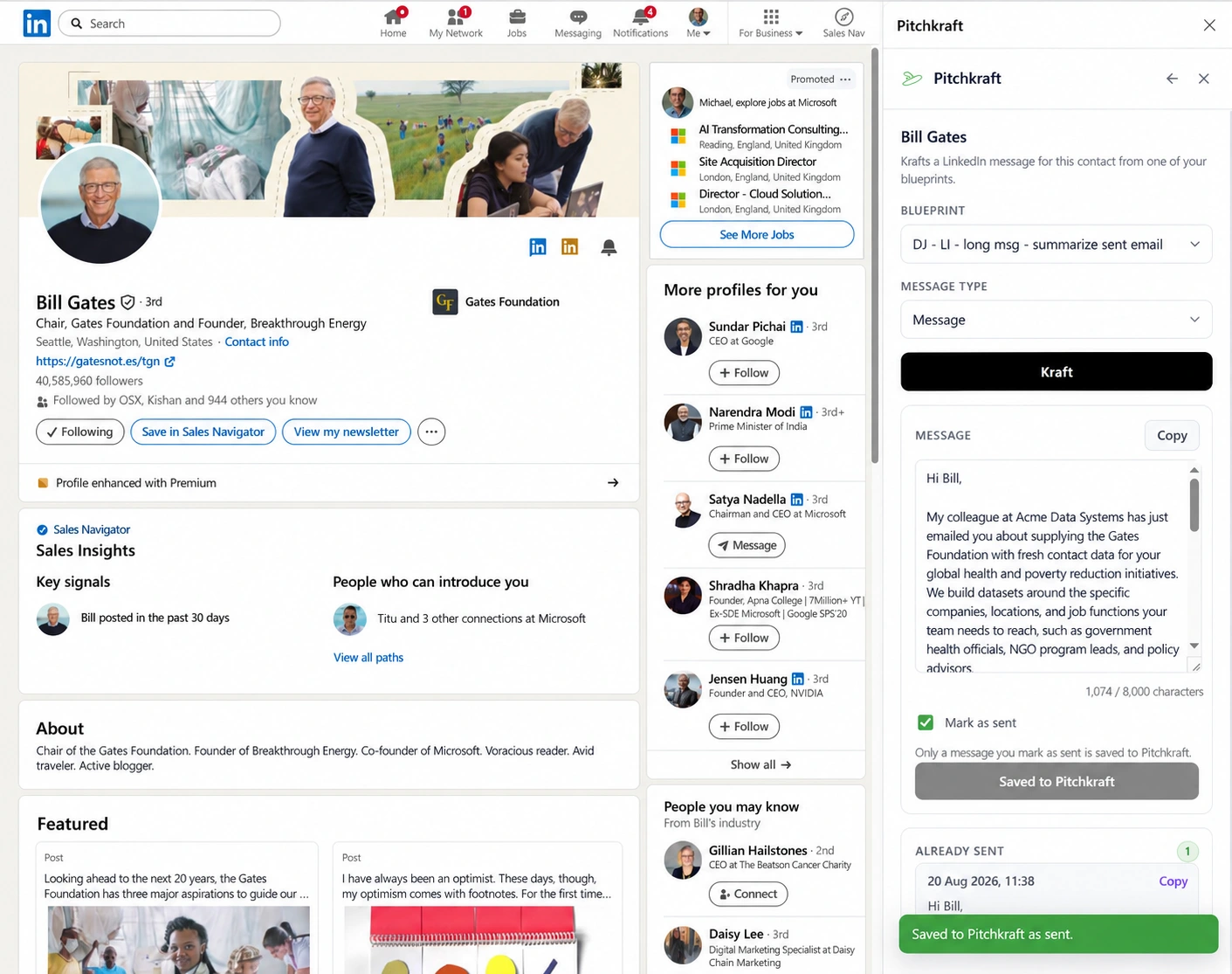
Bring LinkedIn context into your outreach.
Research and write beside the LinkedIn profile you're viewing. The PitchKraft browser extension connects professional context with your contact records, Blueprints and message history, rather than treating LinkedIn as a separate task.
- Identify new or existing PitchKraft contacts as you browse.
- Review role or employer changes and update contact information.
- Generate and save a professional AI summary against the contact.
- Draft personalized connection requests, follow-ups and InMails, then retain message context.
Designed for user-initiated actions. The extension does not automatically send LinkedIn connection requests or messages.
Less manual research. More time for conversations.
PitchKraft brings prospect research and individualized writing into one repeatable workflow. Reduce the work of researching contacts, assembling context and drafting each message separately.
Free 24/7 support and onboarding.
Bring your contacts, set up your company knowledge and create your first Blueprint with help available around the clock. Start with a small group of contacts and review the results before scaling up.
See what customers say about PitchKraft.
Read the customer reviews alongside the product examples.
Choose the plan that fits your outreach.
Compare the plans below, or talk to us about your workflow before choosing.
Research, write, remember. Repeat.
The goal is not to send more robotic emails. It's to treat each prospect as someone whose context matters, from the first approach to the next interaction.
Does personalization continue into follow-ups, replies, forwards and transactional emails?
Yes. PitchKraft can draw on the prospect's research, CRM notes, email history and knowledge-base context when creating subsequent messages. The language and purpose can change with the conversation instead of resetting to a generic template for every touchpoint.
Why not just write each email with ChatGPT?
ChatGPT can help with individual emails. PitchKraft is built around the wider B2B outreach workflow: contact records, prospect research, seller Blueprints, company knowledge, previous interactions, repeatable email creation and evidence you can inspect. It is the continuity, relevance and source transparency that distinguish the workflow.
Can I see where a researched claim came from?
Yes. Insights records supporting information and sources against a contact. Highlighted passages in Kraft Emails can reveal which evidence was used and link to original online material where available, so you can review a claim before sending it.
How is this different from a standard AI email writer?
PitchKraft is built around prospect-specific relevance. It combines a Blueprint describing what you offer with research into each contact and organization, then adapts the entire email rather than simply inserting a name or a researched first line.
Does PitchKraft research the whole internet, or just company websites?
Internet research is not restricted to a prospect's own website. It can use relevant public news, industry publications, events, announcements and other online sources, alongside company sites and the information you supply.
Can I use my own notes, email trail and company case studies?
Yes. PitchKraft can combine relevant CRM fields, notes, previous email correspondence, career information and your company knowledge base with internet research. You can also inspect which information informed the generated wording.
Can I check contacts before launching a campaign?
Yes. Employment Match, Target Audience Match and Data Integrity Check help assess whether records are current, appropriate for the brief and internally consistent. Their results come with supporting explanations.
Can PitchKraft test the emails before they are sent?
The email-testing feature assesses subject and body quality, likely inbox placement, SPF/DKIM/DMARC signals and seed inbox placement, then provides scores and improvement suggestions. Predictive scores and seed-test results are not delivery guarantees.
Do I have to send through PitchKraft?
PitchKraft can be used to prepare and export personalized emails for your own tools, or to manage sending through its campaign and mail workflows.
Can I import my own list or use my existing CRM?
Yes. Import contacts from a spreadsheet, CSV or text file, or use supported CRM connections. You can also export generated emails to send through your own CRM or email platform. Ask us about your particular CRM when planning your setup.
Can I schedule campaigns and review results?
Yes. Send emails individually or schedule segmented batches. The Mail Dashboard provides campaign trends and contact-level activity, with date filters, follow-up segments and an option to exclude bot activity. Treat opens and clicks as indicators alongside replies and actual outcomes.
How do I get started?
Create an account, bring in a small group of contacts, add relevant company knowledge and set up a Blueprint. Generate a few emails, inspect the evidence and review the writing before expanding your campaign. Free 24/7 support and onboarding are available.
Who is PitchKraft built for?
Sales professionals, marketers, founders and teams managing outreach and ongoing customer communication. PitchKraft supports B2B prospecting as well as B2C, lifecycle, transactional and support email use cases.
What support is included?
Free 24/7 support and onboarding help you get started and work through questions about contacts, Blueprints, email creation and sending.
How is contact data handled?
Contact records and company knowledge form part of your PitchKraft workspace. Review our Privacy Policy and Terms and Conditions for the published information about data handling. Contact us about specific security or data-processing requirements before uploading sensitive information.
Make every message feel personally written.
From first outreach to follow-ups, replies, forwards, operational emails and LinkedIn. Give each prospect the attention of a researcher and writer, with the evidence to back it up.
